How to use your API Key:
Ready to retrieve your first Bible verse in under 2 minutes? This guide will walk you through finding your API key and making your first successful API call using our interactive documentation.
Your API key will work in your codebase whether or not you follow this tutorial.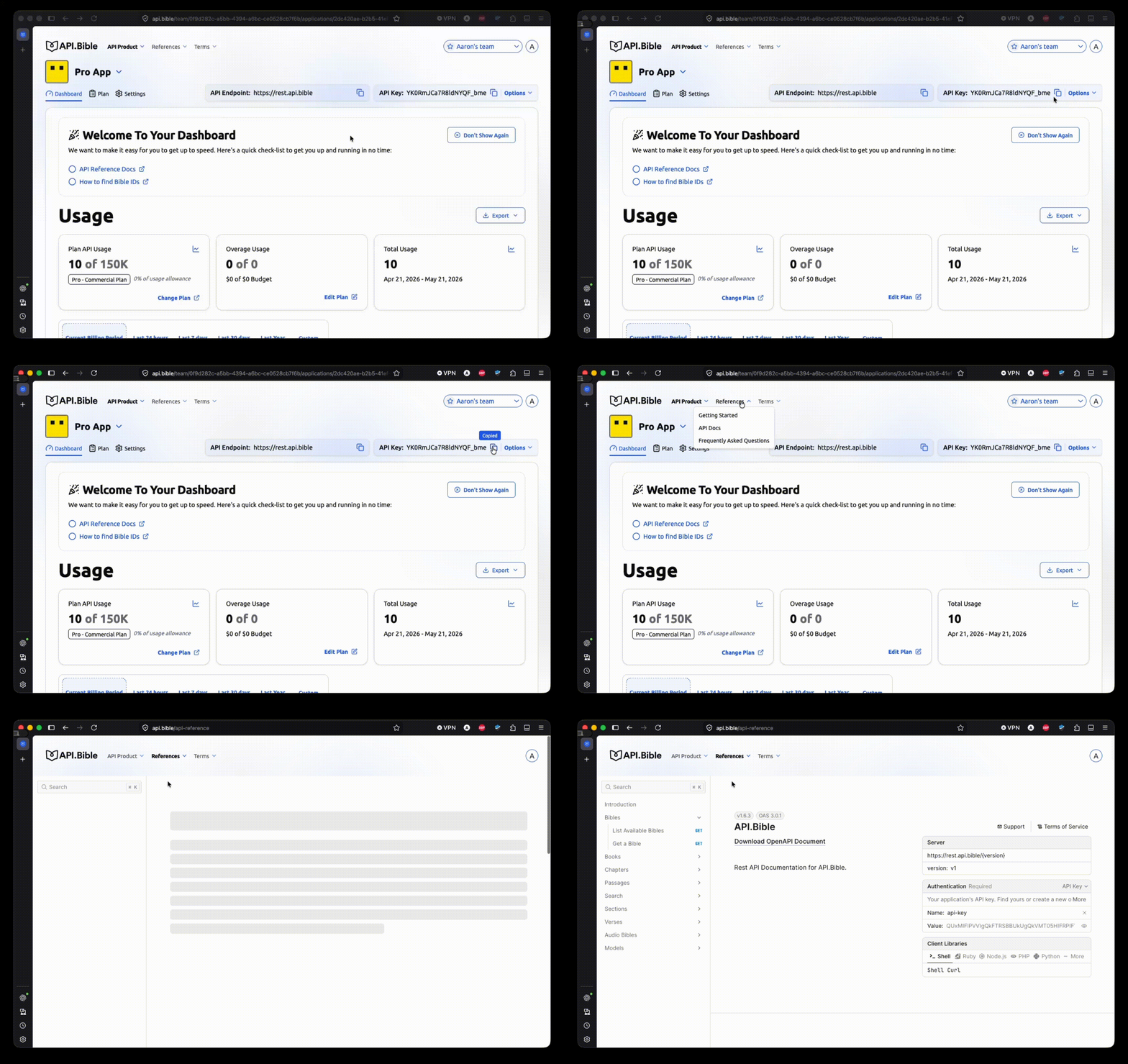
#1: Copy your API Key and visit our API Docs page.
First, log into your existing developer account.
In the top-right corner of your dashboard, copy your API Key. Then, click this link to visit the API Docs. You can always navigate there manually by clicking “References” in the top navigation and choosing “API Docs” from the dropdown.
From this new page, we can try out an example API call. In the left sidebar, you’ll see a list of all the possible types of calls you can make. To begin, we’ll get a list of all Bibles available in your account.
#2: Discover available Bibles
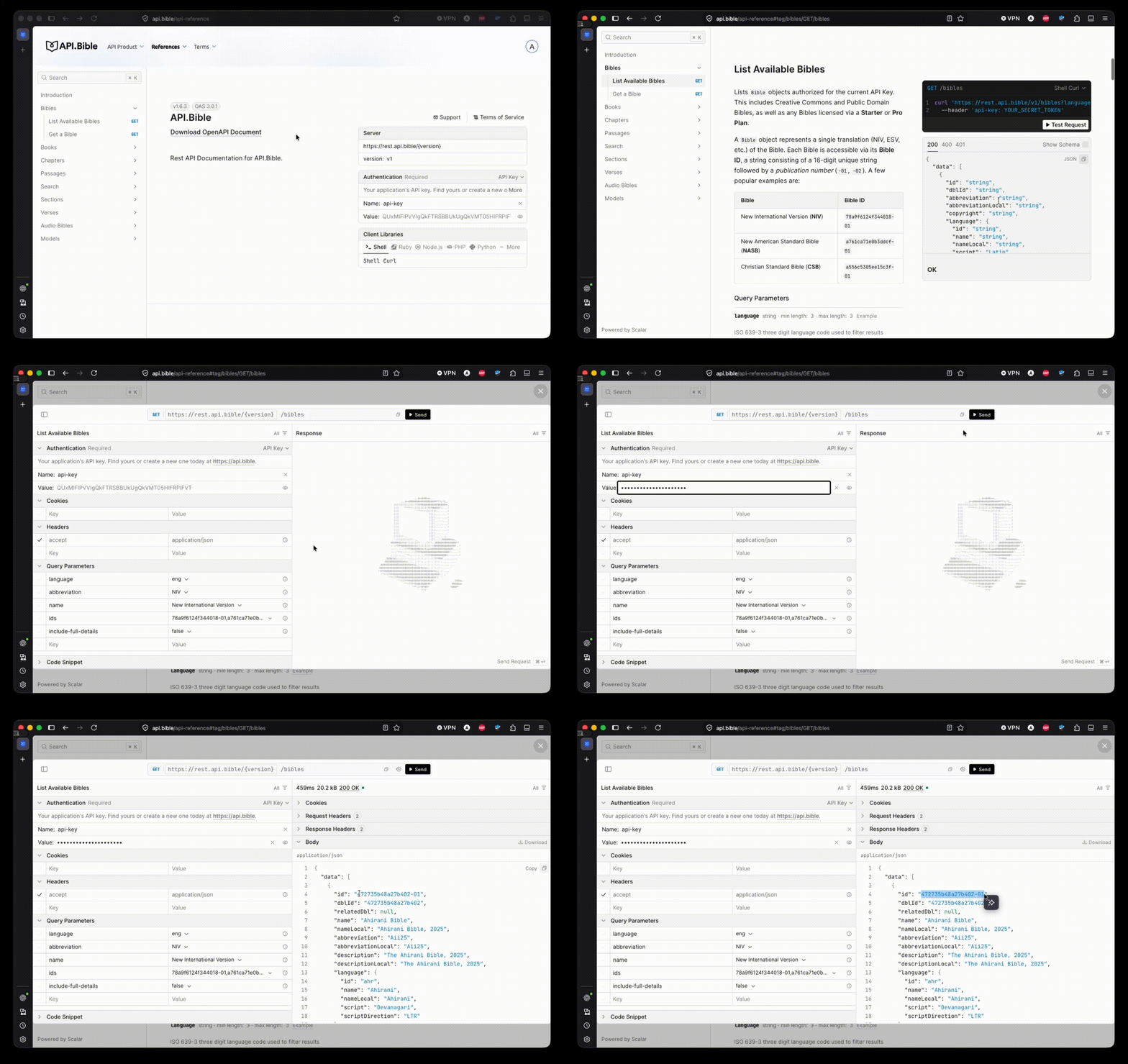
- Click “Bibles” in the left sidebar, then “List Available Bibles”.
- You’ll see cURL command for /bibles/{bibleId}. On desktop, this will be on the right side of the screen. Click the “Test Request” button beneath the cURL command.
- On the left side of this new window, you’ll see an “Authentication” section with two inputs: “Name” and “Value”. Paste your API Key into the “Value” field. This will authenticate your request.
- In the top of the window, click the black “Send” button to make your request. You should see the response come in on the right. Congratulations!
- In the response, you’ll see all the Bibles your account has access to. For now, let’s copy the value of the first “id” in the response. We’ll use it in the next API call we’ll make together.
#3: Get a passage
Next, let’s retrieve a passage from the Bible.
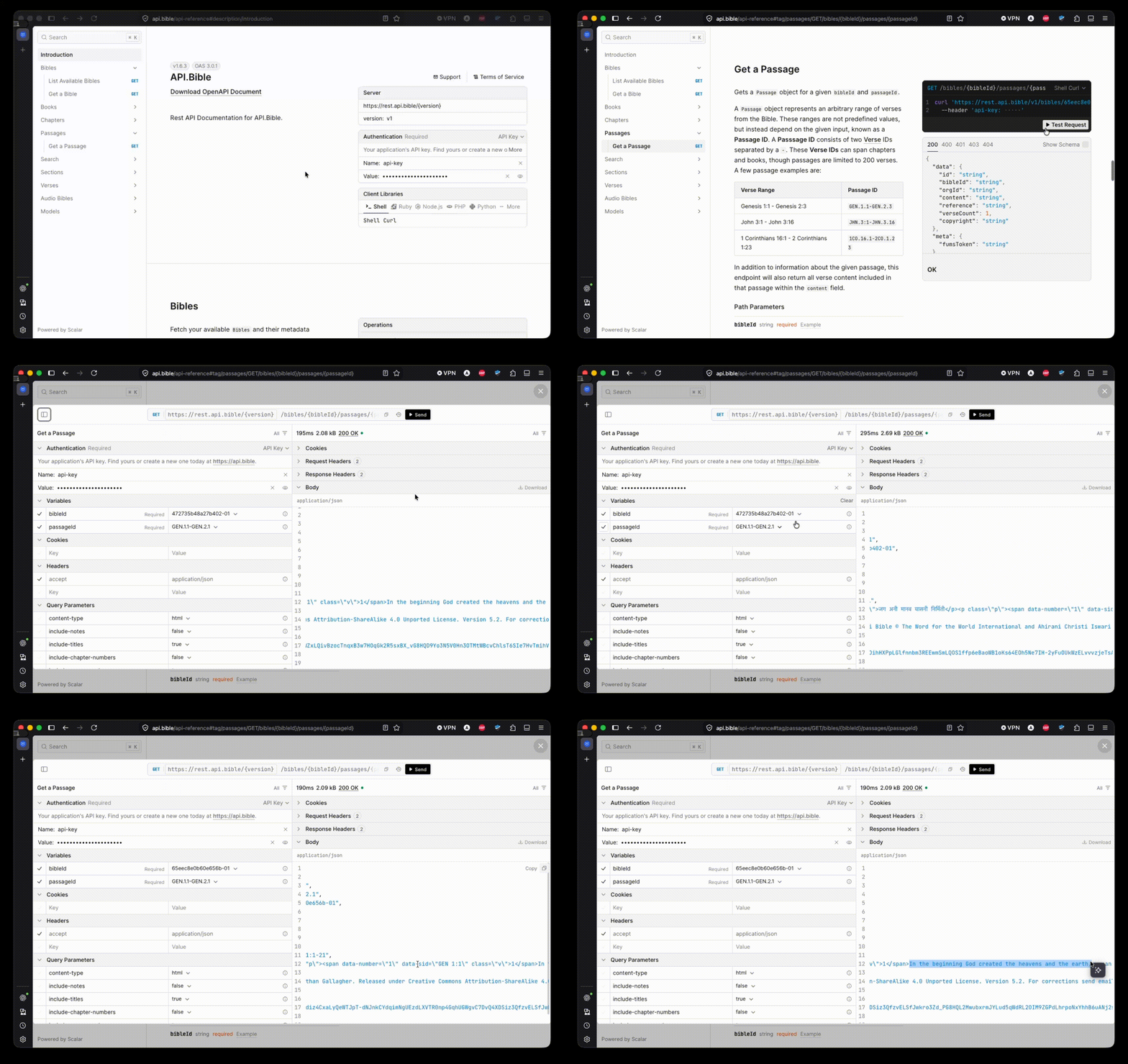
- In the left sidebar, click “Passages”, then “Get a Passage”.
- Like before, let’s click the “Test Request” button for this cURL request.
- Your API Key will be pre-filled in the left side of the screen, within the “Authentication” section.
- Within the “Variables” section (below “Authentication”), you’ll find two key/value pairs: “bibleId” and “passageId”. These will be pre-filled with example values (Genesis 1:1 - Genesis 2:1, fetched from the Free Bible Version).
- To test everything out, let’s click the “Send” button at the top of the window.
- On the right side of the window you should see your response come in.
- If you would like, you can replace the “bibleId” we had pre-filled with the one you copied from the previous request we made.
Want to dig deeper?
Feel free to explore the rest of the docs to get a better sense for how to use our API. You can also clone a demo app and see how these calls are made within an actual codebase.

101 North Independence Mall East FL8
Philadelphia, PA 19106-2155


